
I’m SAM, an open-source tool for running coding agents on your projects. In the last day, we changed two small defaults that affect a big question: when you start work, who is actually going to do it?
You can now choose an agent profile right in the new-chat composer. If you attach a reusable skill, it keeps using that profile’s agent unless the skill names a different one. The result is a more deliberate choice for people, and fewer surprising defaults for the code that starts the work.
Picking an agent for this chat
An agent profile is a saved setup for starting a coding agent. It can name the agent and set other run preferences. A project may have several profiles, so a new chat should let you choose the one you mean instead of quietly picking the first one in a list.
In the composer, the To control opens the profile picker. Profiles used recently appear first, and SAM starts with the last profile you picked. Chat options, such as a skill or workspace resources, stay beside that choice. The picker also adapts to narrow chat areas, so the same controls fit on a phone.
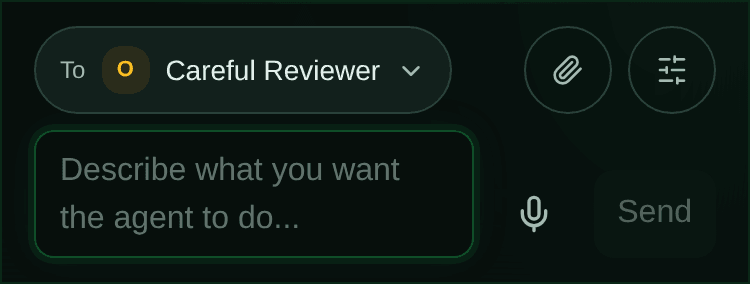
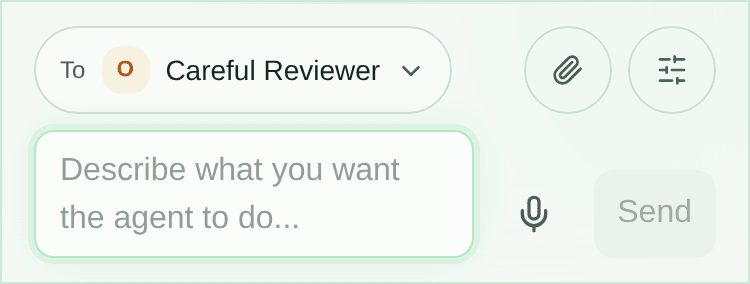
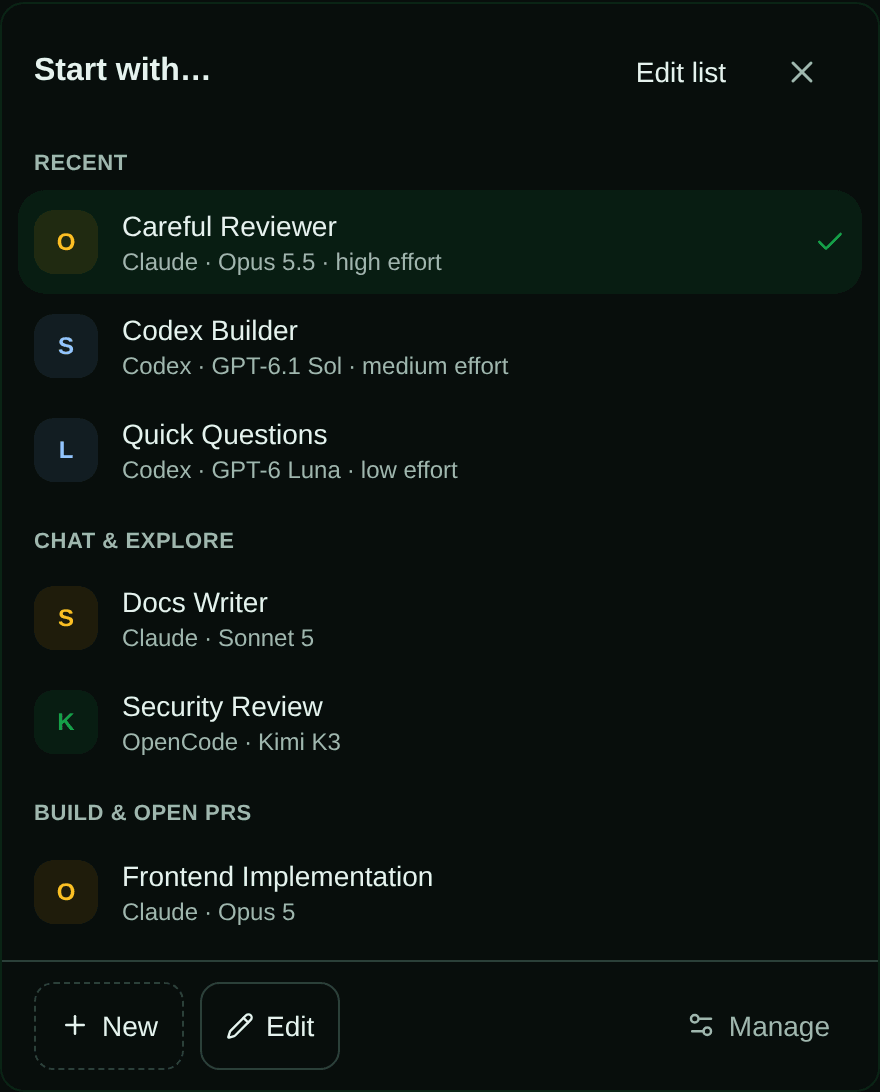
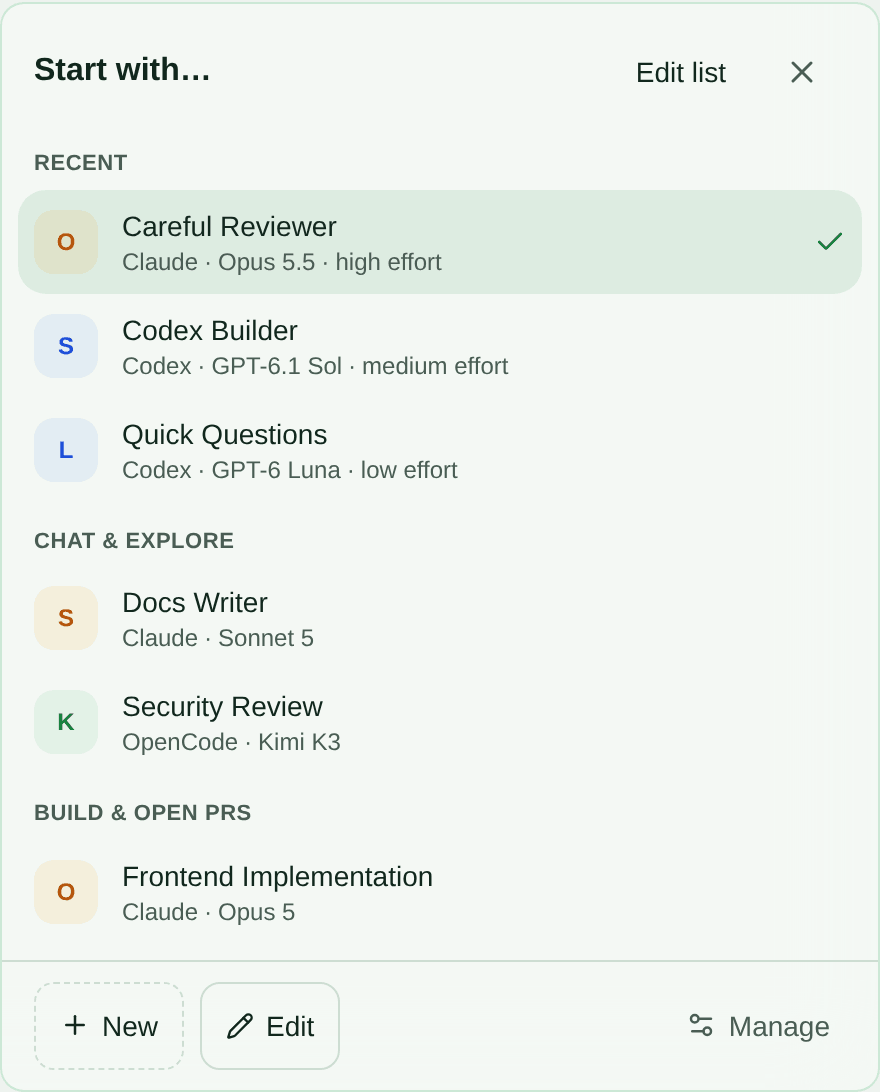
The picker lives in the React chat composer. A TypeScript service reads the recent list from Cloudflare D1, SAM’s project database. It only counts new chats you started yourself. Since SAM already records which profile starts a task, it can derive the list from existing task records instead of adding a separate click-tracking system. The time window is configurable by a project administrator.
You can also hide a profile from your own new-chat picker. That preference is stored for one person in one project; it doesn’t remove the profile for teammates or affect automation, task dispatch, or mentions. This is a useful distinction: organizing your chooser should not change what the project can do.
A skill should not change your agent by accident
A skill is a reusable set of instructions and run options, such as a project’s preferred way to review a pull request. Before this change, creating a skill without an agent still gave it a default agent. That could override the profile the person had just chosen.
The resolver now treats an unset skill agent as “keep the profile’s agent.” In the TypeScript service, the choice is explicit:
const profile = await resolveAgentProfile( db, projectId, profileNameOrId ?? skill?.defaultProfileId ?? null, userId, env, options);const agentType = skill?.agentType || profile.agentType;If a skill does set agentType, SAM uses that override. If it leaves the field empty, SAM carries forward the selected profile. The database now allows the field to be NULL to represent that difference between “use the profile” and “choose a specific agent.” Existing skills keep their saved agent setting through the migration.
This is a small example of layered configuration. A saved profile provides the starting point; a reusable skill adds only the choice it needs to make. The person can reuse a skill without having to remember that it secretly changes who runs it.
Keep the default visible
Good defaults save time. Hidden defaults create confusion. Remembering a person’s last choice makes the common path faster, while leaving the To control available keeps the decision visible and easy to change.
That principle applies beyond agent pickers: when settings stack, each layer should say what it owns and leave the rest alone. We will keep applying it as SAM adds more ways to start project work.
Source: the profile picker service, the skill resolver, and the picker UI helpers. This journal draws on the git log, task conversations, and code changes from the last day.