
AI agents sometimes need a person to make a call before they can continue. In SAM, those questions now appear as answerable cards in the conversation. An agent can ask whether to open a pull request, offer a few choices, and receive your answer in the same chat.
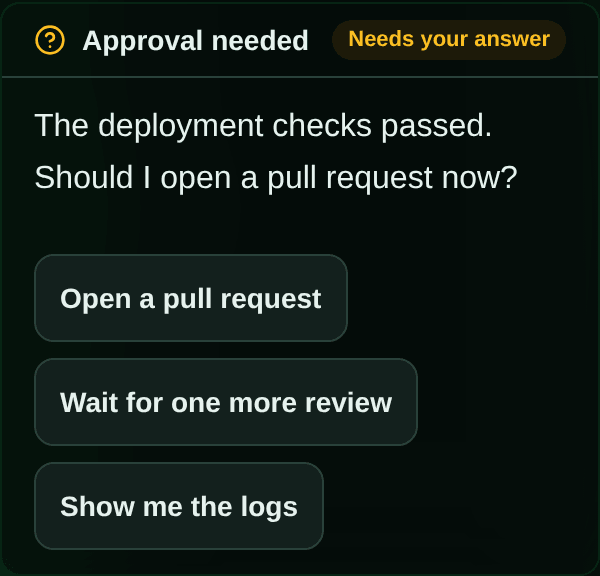
An MCP tool asks; the chat shows the question
The agent asks through request_human_input, a tool in SAM’s Model Context Protocol (MCP) server. It can include a question and suggested answers. SAM saves that request and also schedules a notification, so the person can reply from the chat or the notification bell.
The tool gives the conversation a reference to the saved request:
{ "humanInputRequest": { "id": "…", "sessionId": "…" }}The React chat UI uses those IDs to load the question, its choices, and its current status from the TypeScript API. The question itself is stored as an attention marker in SAM’s ProjectData Durable Object.
Keep the question in one reliable place
Chat histories can be compacted to keep them manageable. SAM keeps the small request reference in the history, then reloads the saved question when it renders the card. That means the card can come back after a page reload without copying the whole question into the transcript or treating transcript text as authoritative.
The API also checks project membership and chat access before returning the request. When someone answers, SAM records the answer and sends it to the agent as a prompt. The card and notification bell use the same request data, so an answer from either place updates the other.
This pattern works for any agent workflow that needs a person to act: save the state in a durable record, put its ID in the conversation, and load the latest state when showing the UI. The chat stays readable, and the server remains the source of truth for what was asked and answered.
To try it, ask an agent to pause for a decision or clarification in a SAM chat. It can present choices when they help, and accept a written answer when they don’t.