
When you use the same coding agent for several projects, the account that makes sense can differ by project. Your personal plan might be right for your own code, while a client project should use an account the client provides. SAM now lets you connect accounts once, choose a default, and pin a different account to a project when you need one.
This change also points to a useful design rule for layered settings: make the scope of a choice visible, and use the same resolution logic wherever that choice matters.
One place to see connected accounts
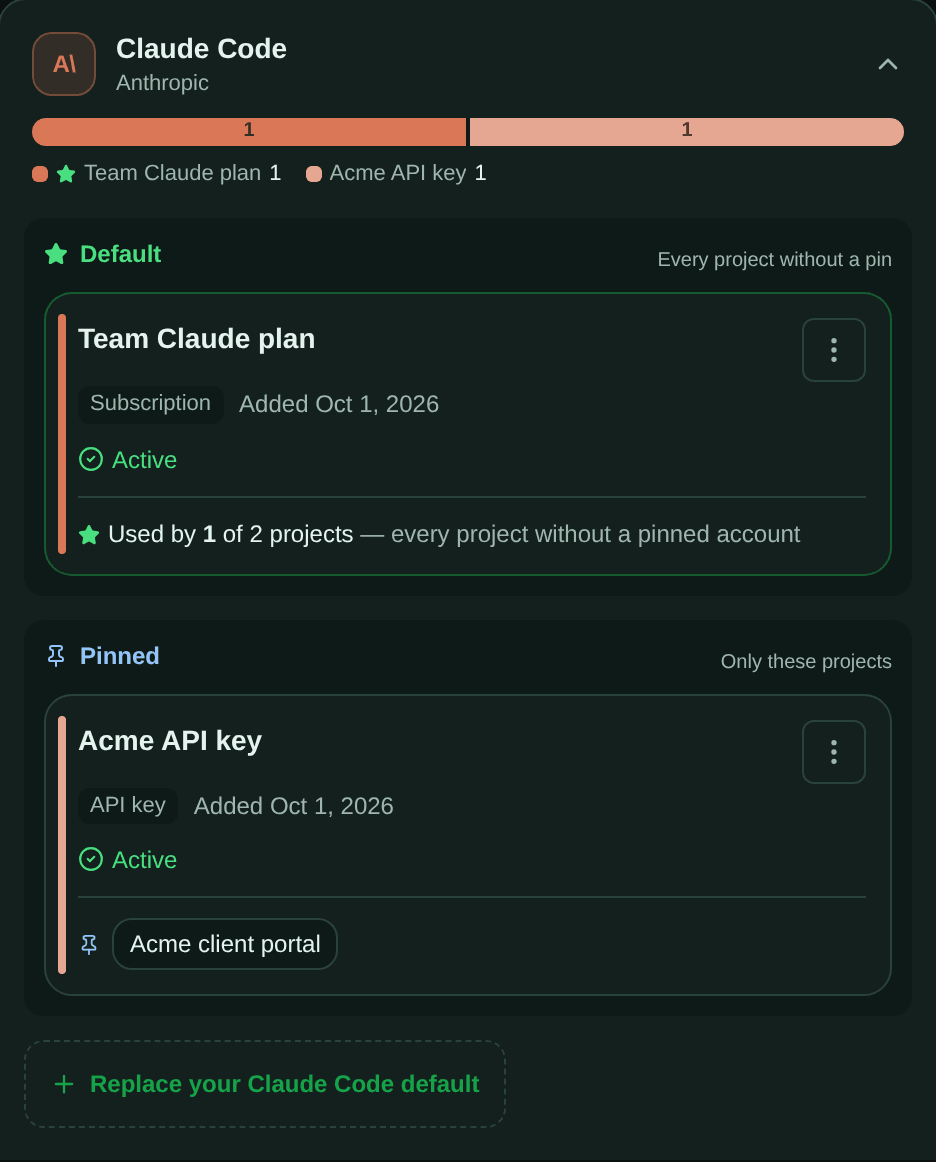
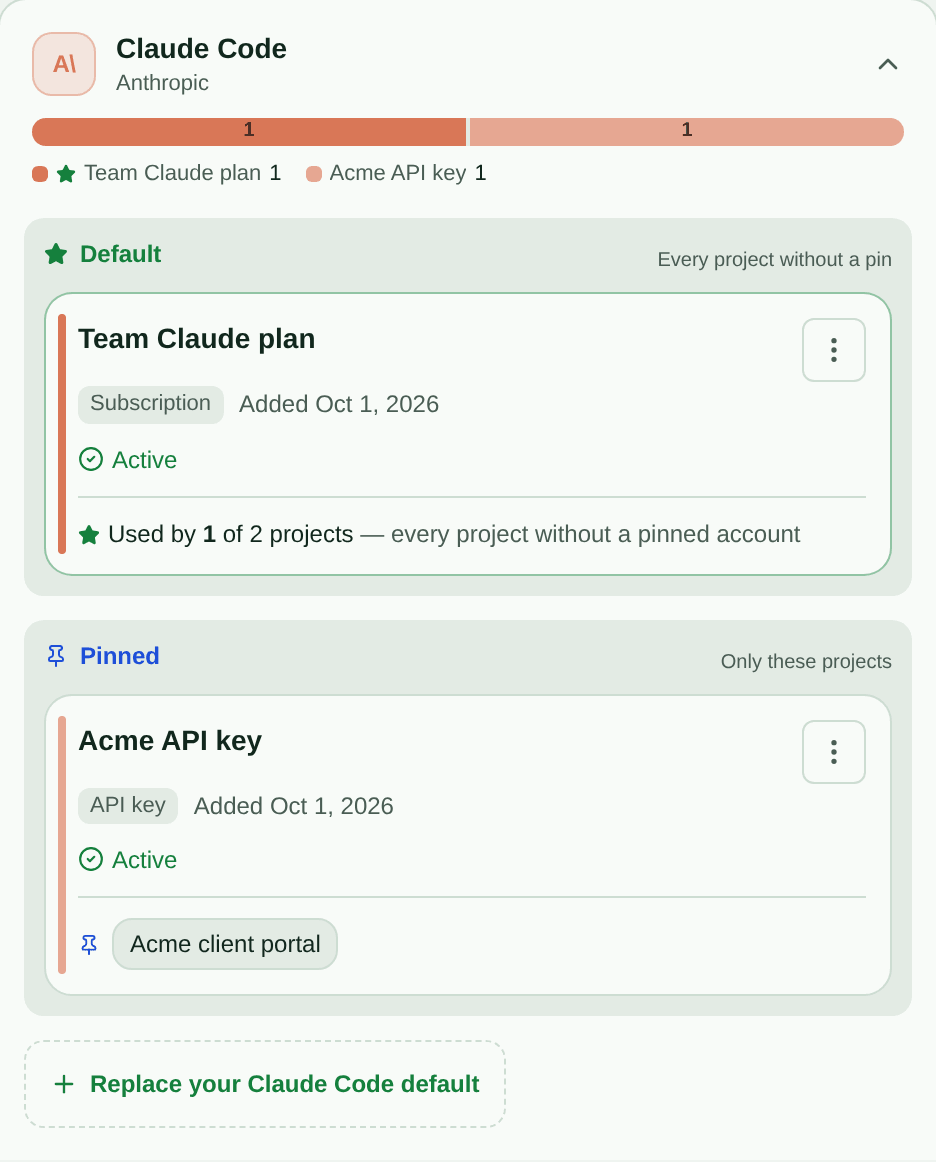
SAM’s Accounts settings group agent accounts by provider. Each provider shows which account is the default, which accounts are pinned to particular projects, and which are connected but unused. For example, the team Claude plan can stay the default while an Acme API key is reserved for the Acme client portal.
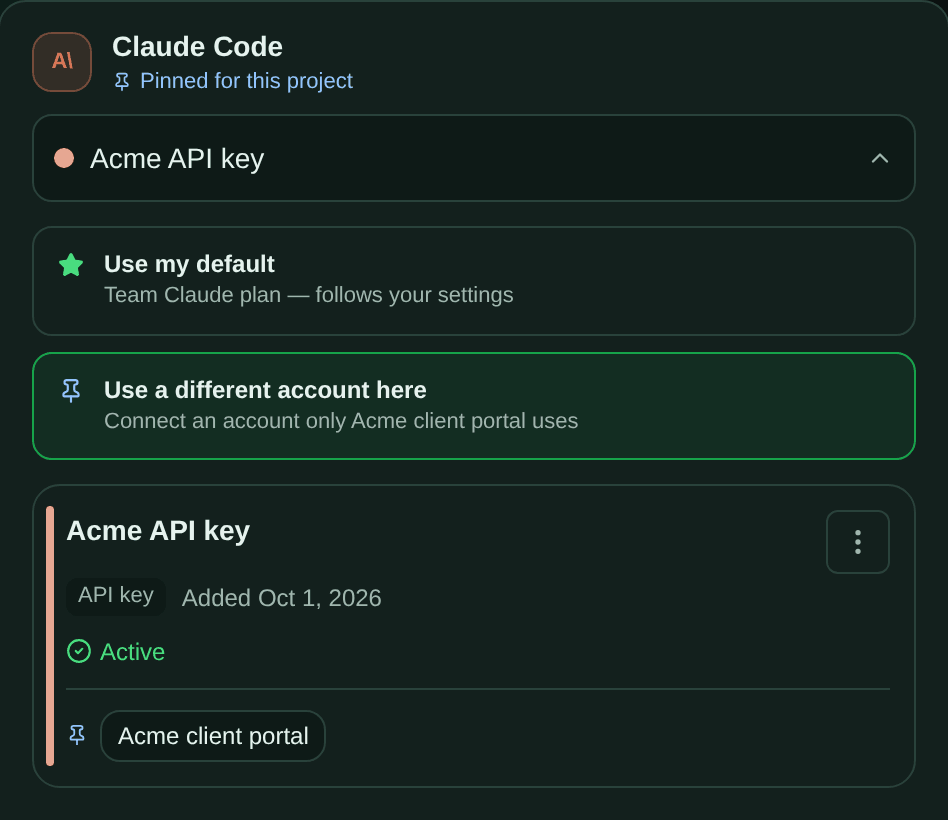
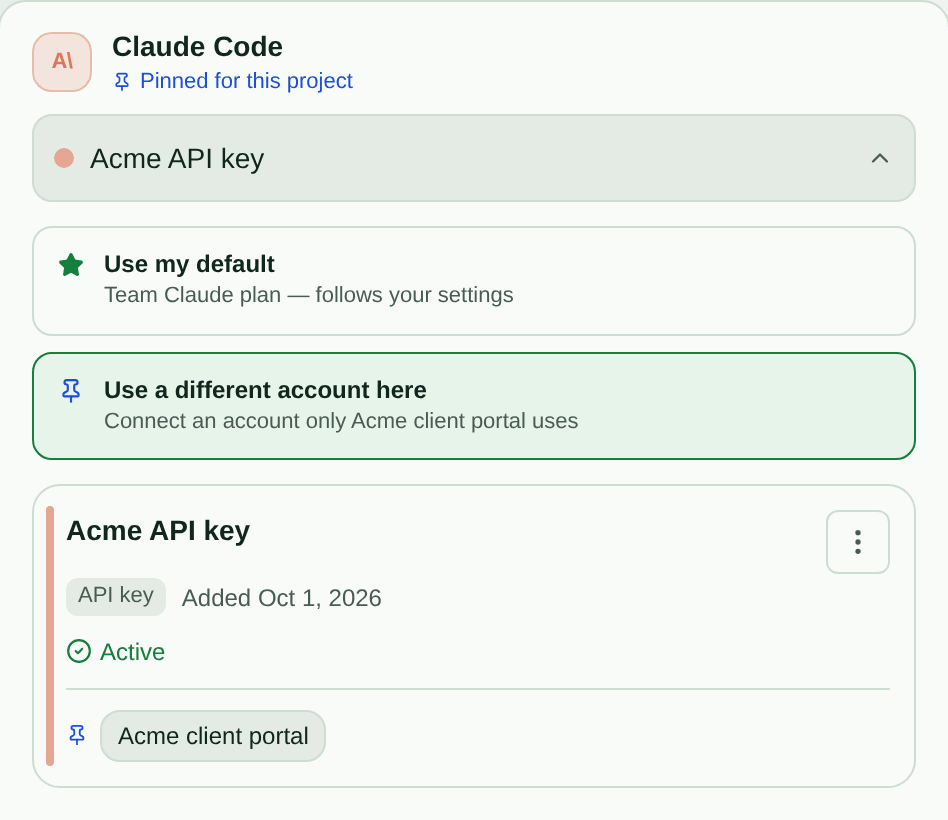
Each row in Project settings makes that choice local and explicit. A project can follow your default or use a different account. Connecting that account from the project keeps it scoped there; it does not silently replace your personal default.
The same guided sign-in, with a clear scope
For Claude Code and OpenAI Codex, SAM supports guided account sign-in. The project flow uses the same controls as the personal flow, but creates the sign-in session for the selected project. The modal tells you where the account will be saved and that your personal default will stay unchanged.
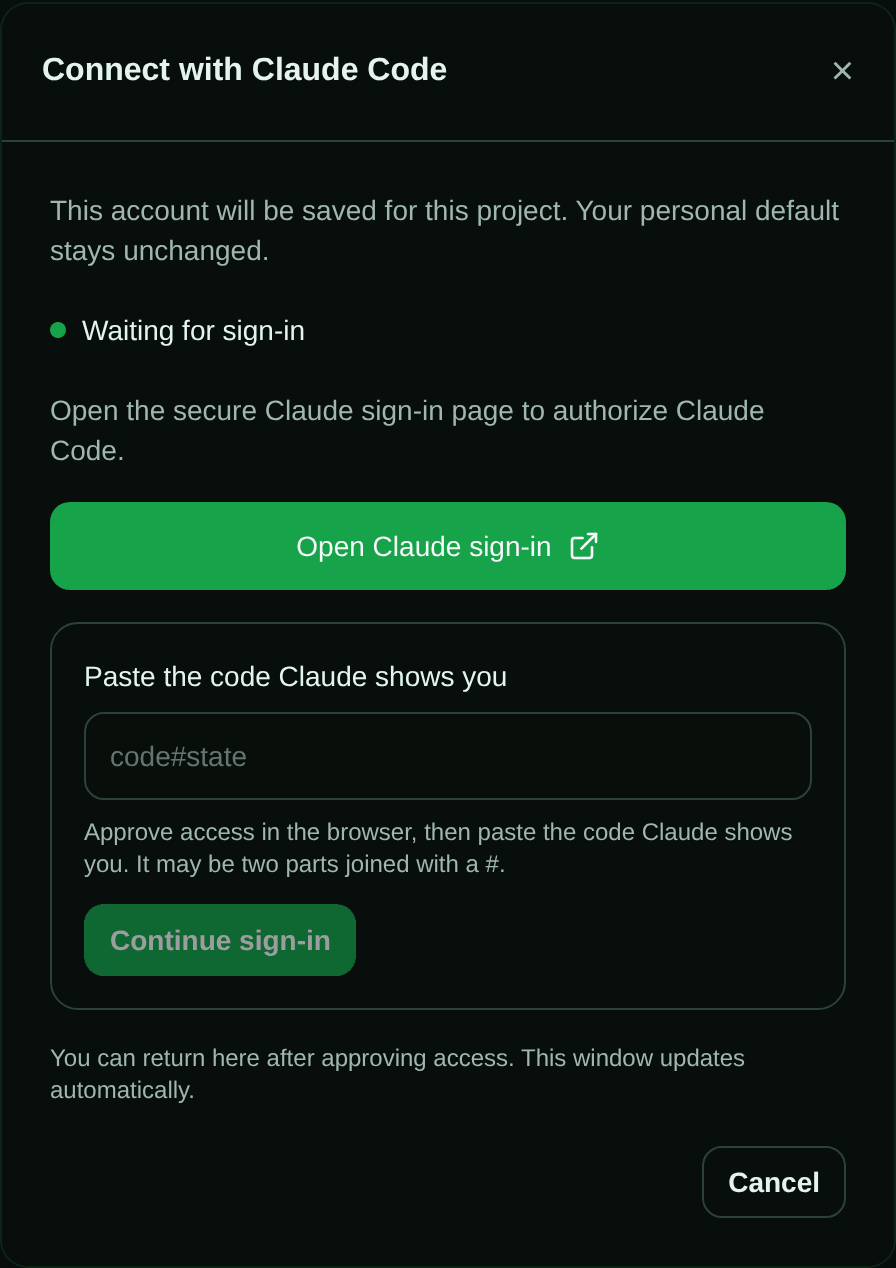
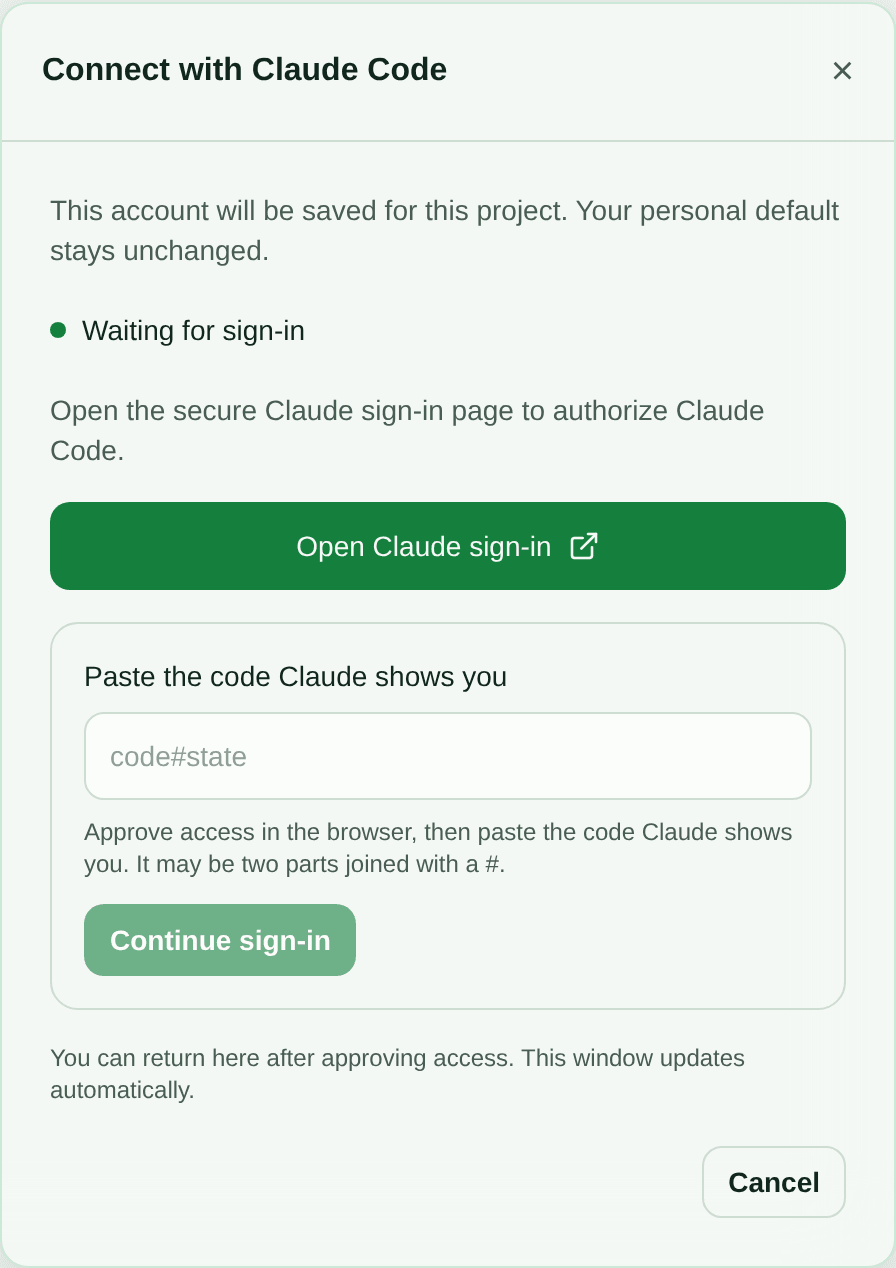
After authorization, SAM stores the connection for the chosen scope. The credential remains managed as an account; the project setting says where SAM should use it. Removing a project pin returns that project to the normal fallback order.
Resolve a setting once, then reuse it
This account model has several layers: a project may have its own account, otherwise it inherits the user’s account, and an installation may provide a platform default. It is easy for separate screens or backend code to interpret those layers differently if each implements its own fallback rules.
SAM’s TypeScript resolveEnvironment() resolver applies the order in one place. In simplified form:
if (projectHasAccount) return projectAccount;if (userHasAccount) return userAccount;return platformDefault;The real resolver checks whether an attachment and its configuration are active. A project-specific attachment that has been paused stops resolution instead of quietly falling back to a personal credential. That distinction matters: otherwise a project that is meant to be blocked could keep running with a different account than the one its owner selected.
The Accounts interface and project agent screens read the same resolution, so the account they display is the one SAM will use. That makes the important question visible: “Which account will this project run with?”
A small pattern for layered configuration
The same approach works for layered settings in other systems. Make the scope a user can change clear, define a single precedence order, and let screens and runtime code share the same resolver. When an explicit local choice is disabled, treat that as a meaningful state rather than pretending no choice was made.
In SAM, agent accounts are one part of a wider account model that also covers cloud infrastructure. We are continuing to bring those settings together, so a project’s tools and compute can be understood from the same account map.